Pipeline
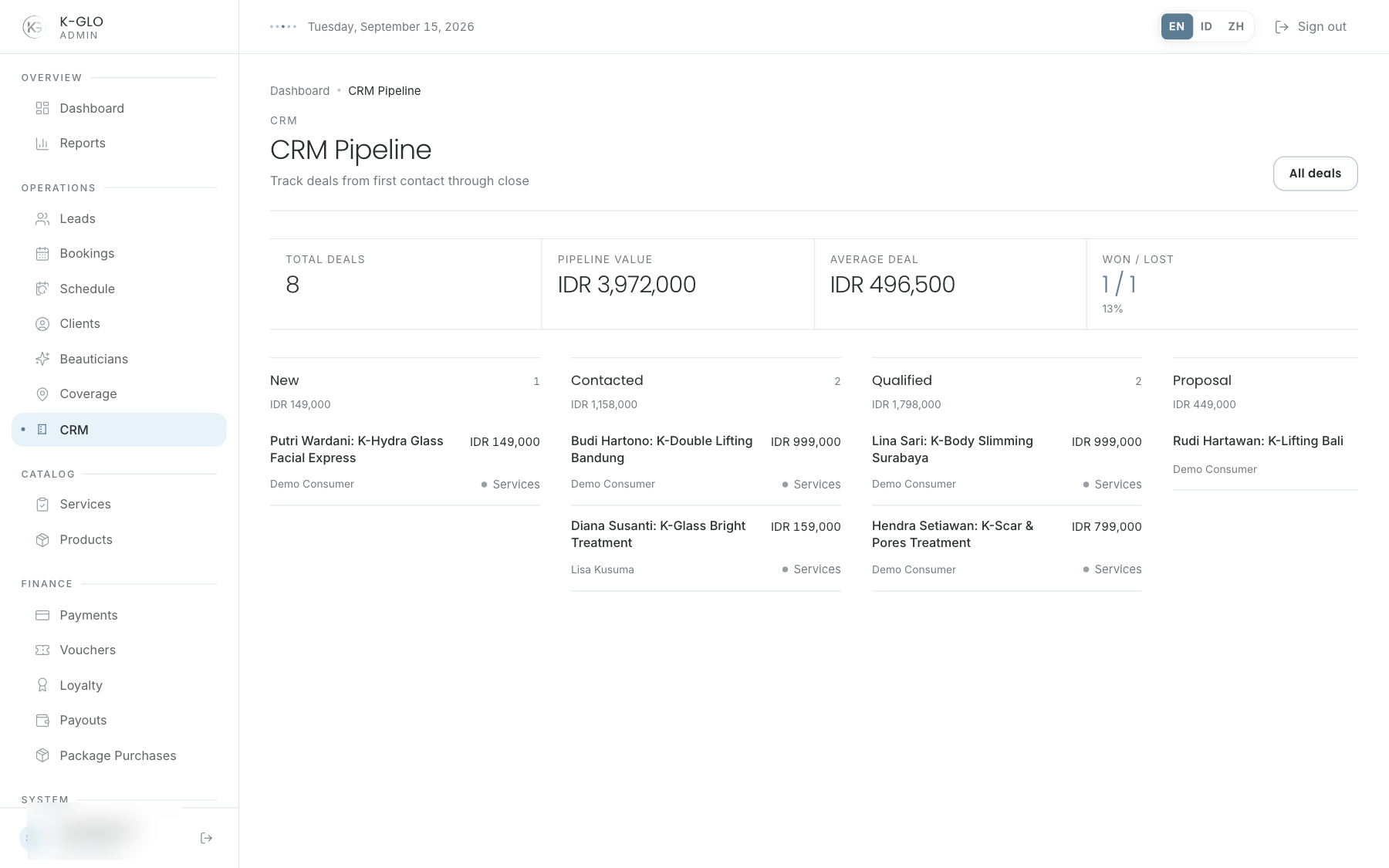
The pipeline is a read-only kanban. Each lane represents a stage and shows its total. Select a deal to open the inspector; stages cannot be moved by drag and drop.
Manage a deal
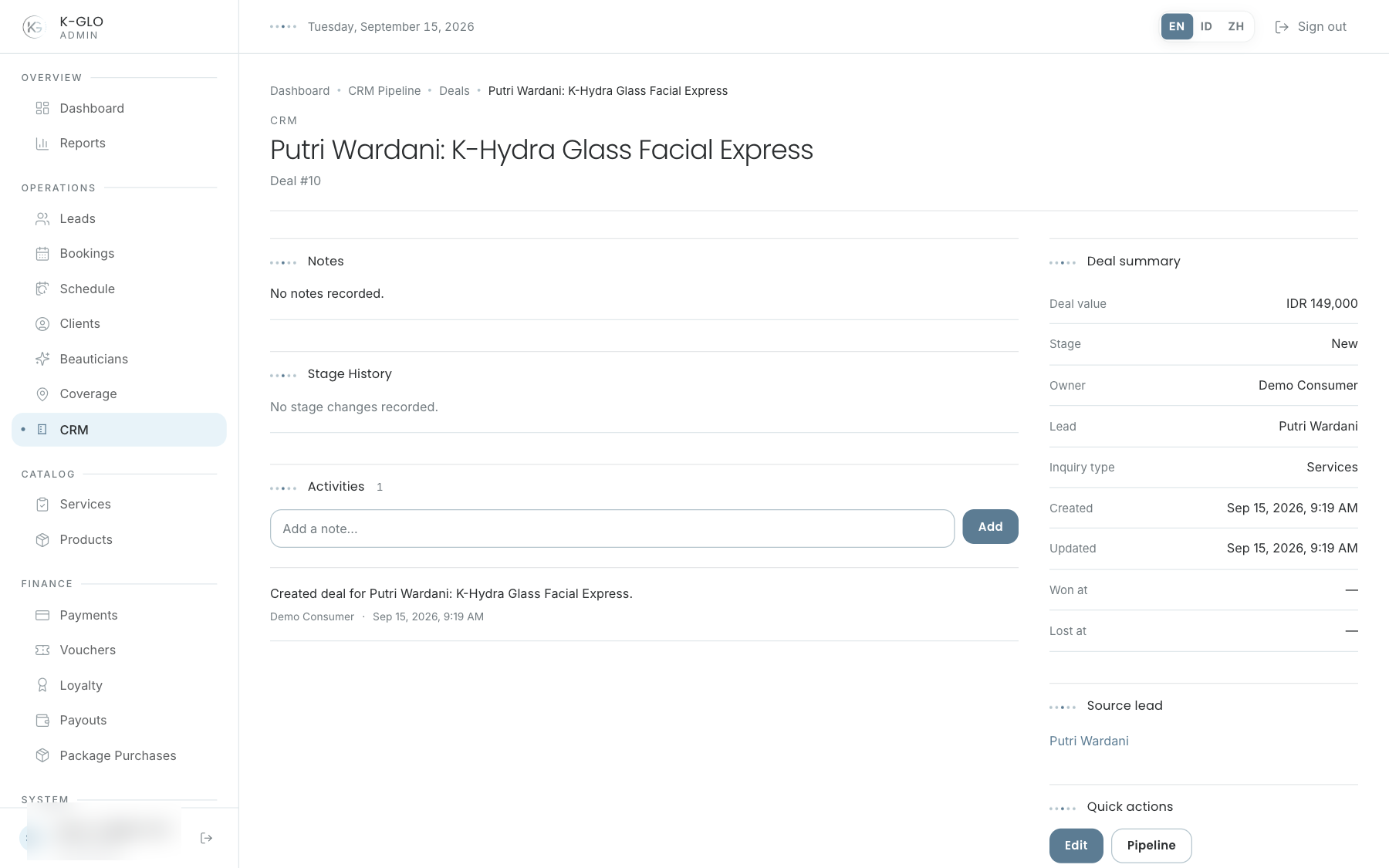
Deals support creation, listing, editing, details, stage changes, activities, and stage-change history.
- Create a deal or open one from the pipeline/list.
- Review its value, relationships, stage, and previous activities.
- Add an activity for a new interaction; activities are append-only.
- Select Edit on the detail page to update the deal and stage, then save.
- Reopen the detail page and check stage history. The pipeline is for reading and opening deals; stages cannot be moved by drag and drop.
Video walkthroughs
English Admin Web recordings from isolated demo data, slowed down so the steps are easier to follow. Secret values are masked. No external payment or provider delivery is performed.
Recorded:
admin creates a CRM deal and records a follow-up activity 0:09
Covered steps
- Create a deal, open it from the deals list, append a follow-up activity, edit the deal title and stage, open it from the read-only pipeline, and verify the stage history and saved stage.