Overview
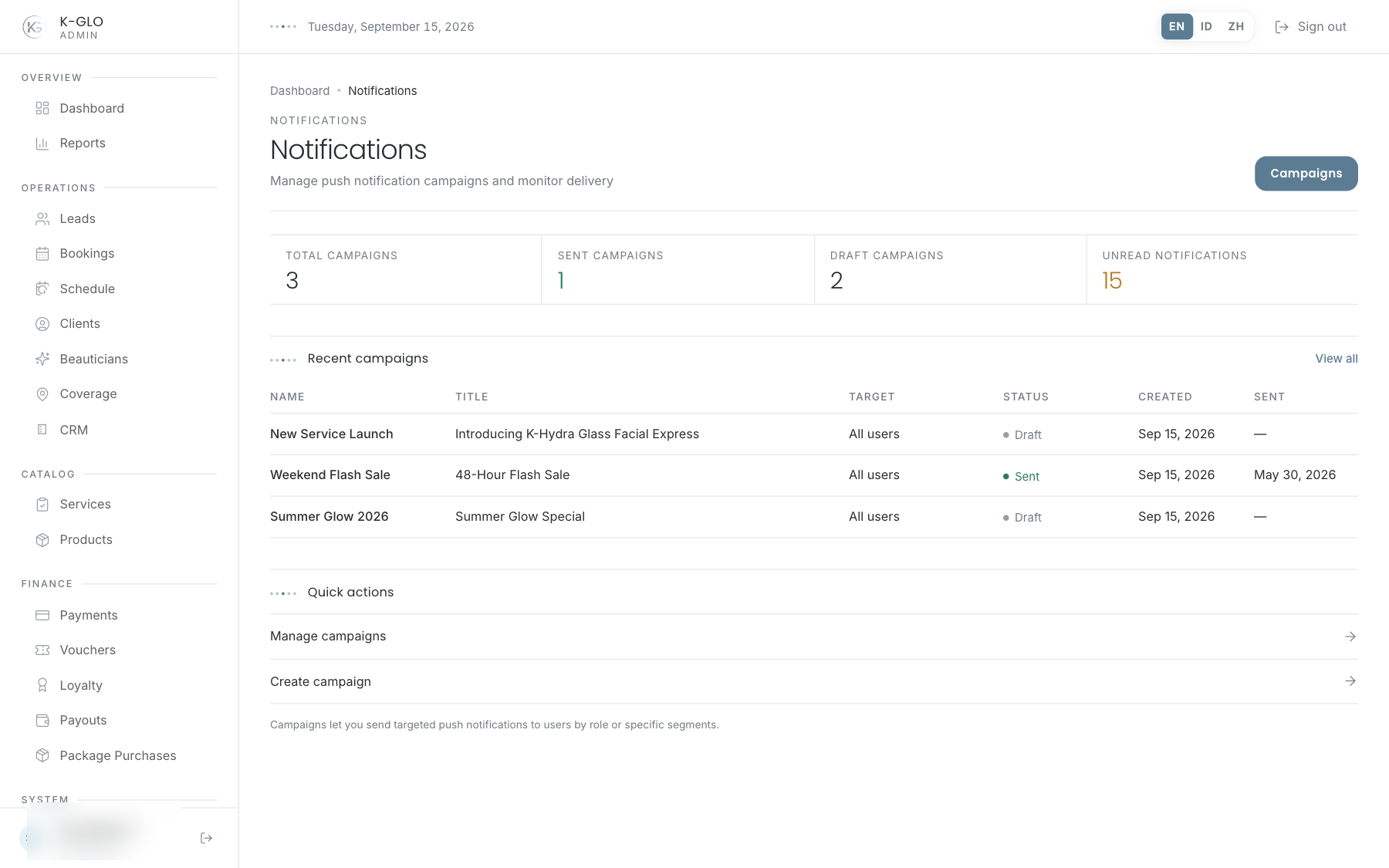
Notifications shows campaign statistics and a recent campaign ledger. Use the ledger status to understand each campaign’s current state.
Campaign composer
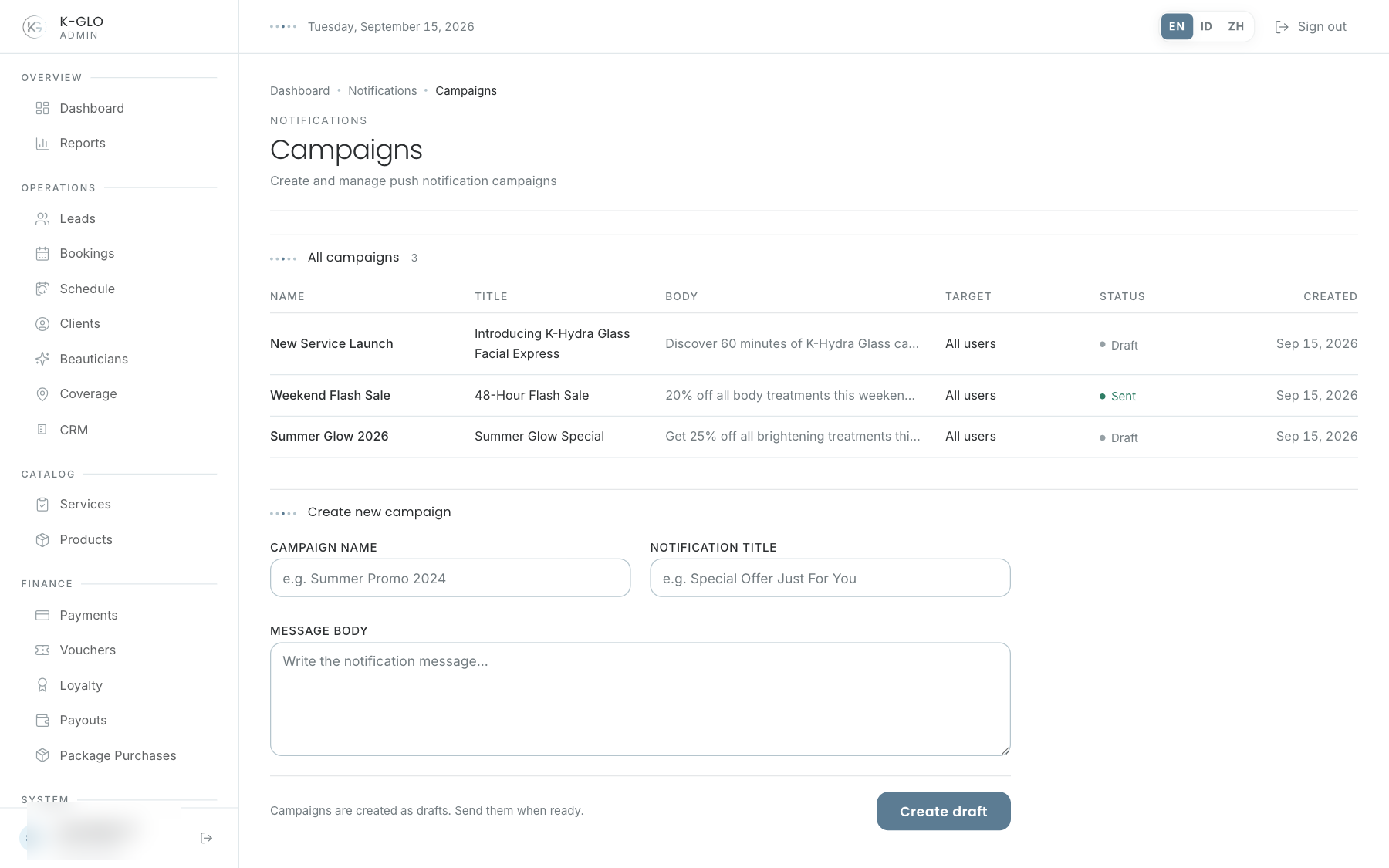
The composer accepts a campaign name, notification title, and body. Audience selection is not available in the composer; the server applies its default audience. Save to create a draft.
Send a campaign
On the campaign list at /admin/notifications/campaigns, the Send action is available for draft rows. Admins must confirm the action; after confirmation, the campaign is marked sent and database notifications are created for recipients. Push delivery may be skipped when push is disabled or no active devices exist; sent does not guarantee successful external push-provider delivery.
- Create a draft and verify it in the ledger.
- Select Send on the draft row and confirm.
- Verify the campaign is sent and its recipient count is recorded.
Video walkthroughs
English Admin Web recordings from isolated demo data, slowed down so the steps are easier to follow. Secret values are masked. No external payment or provider delivery is performed.
Recorded:
admin creates a notification campaign draft 0:06
Covered steps
- Create a campaign draft with name, notification title, and body; verify draft status.
- Dismiss the Send confirmation and verify the campaign remains draft; confirm Send, verify sent status and recipient count, verify database notification creation, then find the campaign on Notifications overview.
Testing boundaries
- The isolated runtime disables Expo push delivery; successful delivery by the external push provider is not exercised. The campaign composer does not expose audience selection, so its server-default audience is used.