初次注册
- 打开 2FA Setup。在身份验证器应用中扫描二维码,或复制手动密钥并在应用中输入。
- 输入当前 TOTP 验证码并确认密码,然后选择 Enable 2FA。
- 保存注册成功后显示的十枚恢复码。Copy all 会将其复制到剪贴板;离开页面后将不再显示。
恢复码
恢复码在创建或重新生成后只显示一次。每枚恢复码只能使用一次。离开页面前先完成保存,不得通过聊天、未加密邮件或支持工单发送。
启用 2FA 后
在 2FA Setup 中输入密码可重新生成恢复码;新码会替换旧码。如需关闭 2FA,请输入密码并选择 Disable 2FA。
登录验证
正常登录时使用 TOTP。只有在无法使用身份验证器时才使用恢复码。使用恢复码后,请重新检查 2FA 方法,并在需要时重新生成恢复码。
无法访问
不得创建共享账号,也不得借用其他用户的会话。请遵循身份恢复流程,并在内部升级给获得授权的管理员。
二维码、手动密钥和恢复码均属于机密信息。知识库截图必须使用虚构值。
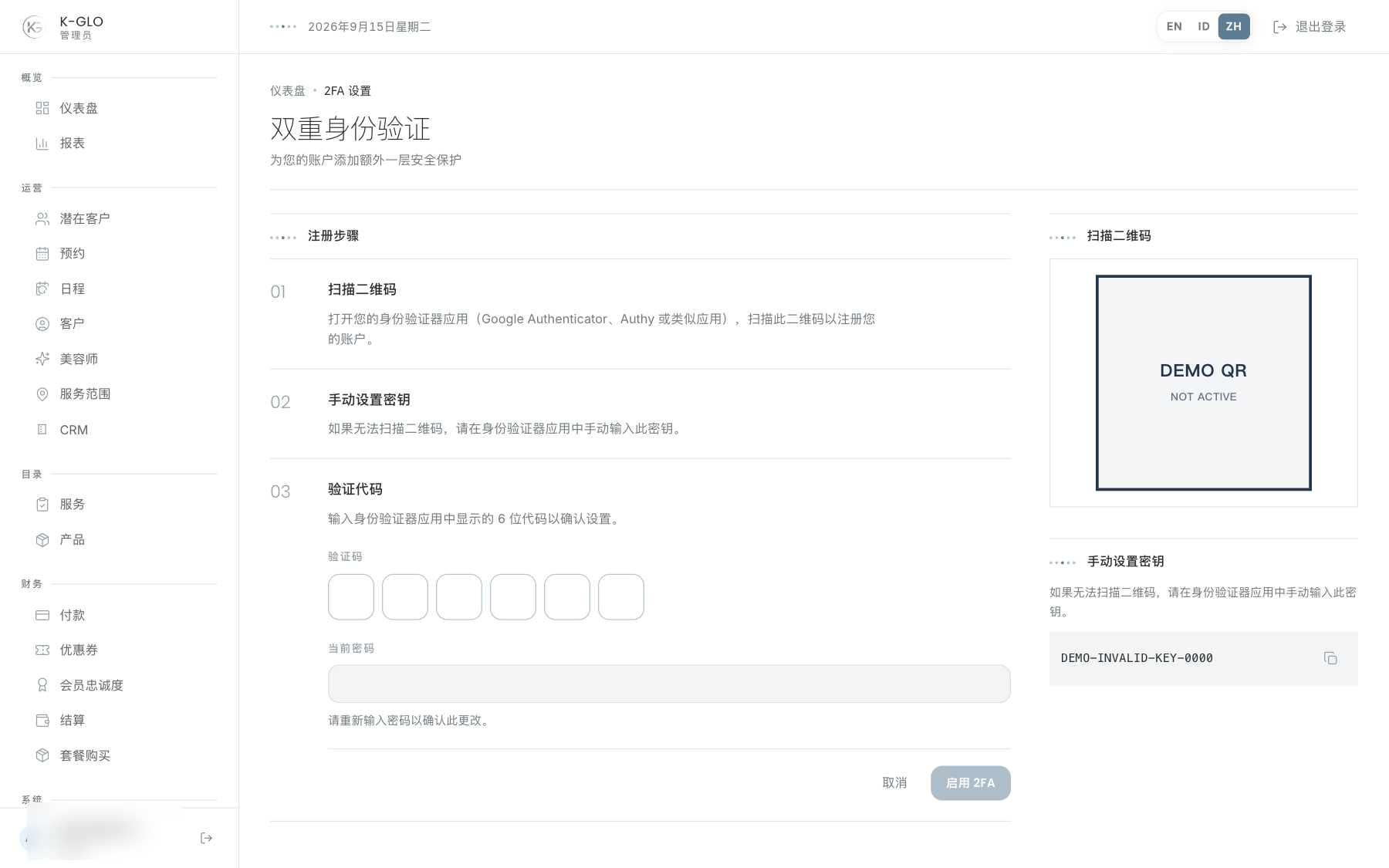
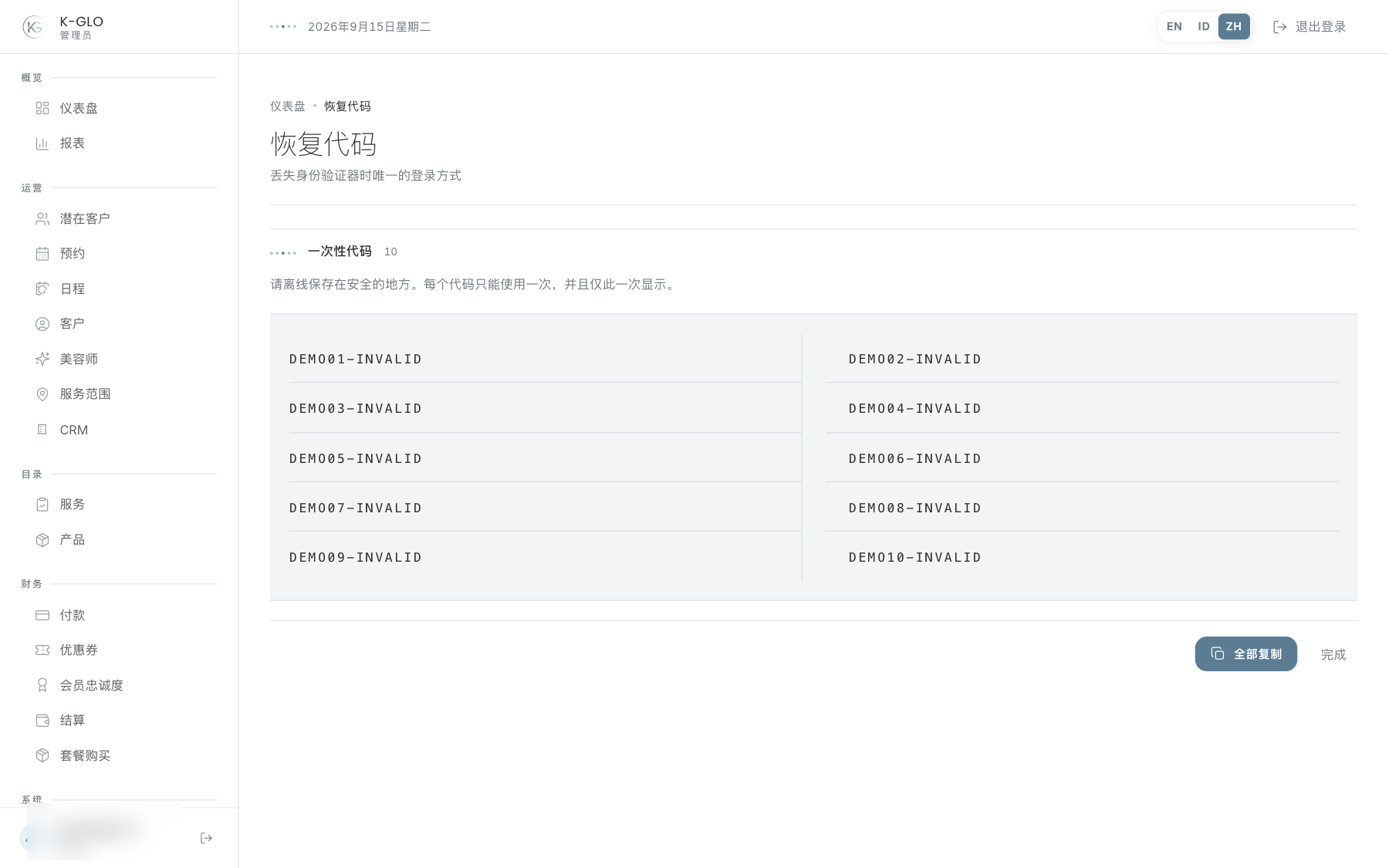
操作演示视频
视频使用隔离演示数据录制英文管理后台,并放慢播放以便跟随操作。敏感值已遮蔽。未执行外部付款或服务商发送。
录制日期:
temporary admin enrolls, regenerates recovery codes, verifies TOTP, and disables 2FA 0:13
已覆盖步骤(英文)
- Copy the manual setup key, complete enrollment using a generated TOTP and password, and verify ten unique recovery codes are displayed.
- Copy all recovery codes, regenerate them, verify the old set is invalidated, sign out and verify login by TOTP, then disable 2FA.
temporary admin recovery code is single-use and authenticator fallback completes 2FA 0:12
已覆盖步骤(英文)
- Enroll a temporary admin, log in once with a recovery code, and verify reuse is rejected.
- Switch to authenticator verification, complete login with TOTP, and disable 2FA.
测试边界(英文)
- Tests never publish the generated QR, manual key, OTP, or recovery-code text; the recording privacy mask obscures them while assertions read the underlying values.
- The lost-account identity recovery and internal escalation procedure is outside the admin UI.