客户清单
- 按姓名、电子邮箱或电话搜索并选择生命周期,点击 Filter 应用条件;可按加入时间或最近完成的预约排序。当前筛选条件会写入 URL。
- 导出会下载保留筛选条件的客户清单。打开客户行查看档案,必要时可继续打开关联预约。
| 页面中的生命周期 | 运营含义 |
|---|---|
New |
历史记录较少的新客户。 |
Active |
根据近期活动判断为活跃的客户。 |
Potential leaver |
需要关注或跟进的客户。 |
Leaver |
长期未活跃,需要评估重新互动。 |
Potential leaver 和 Leaver 是后续跟进信号,不是自动决策。
客户档案
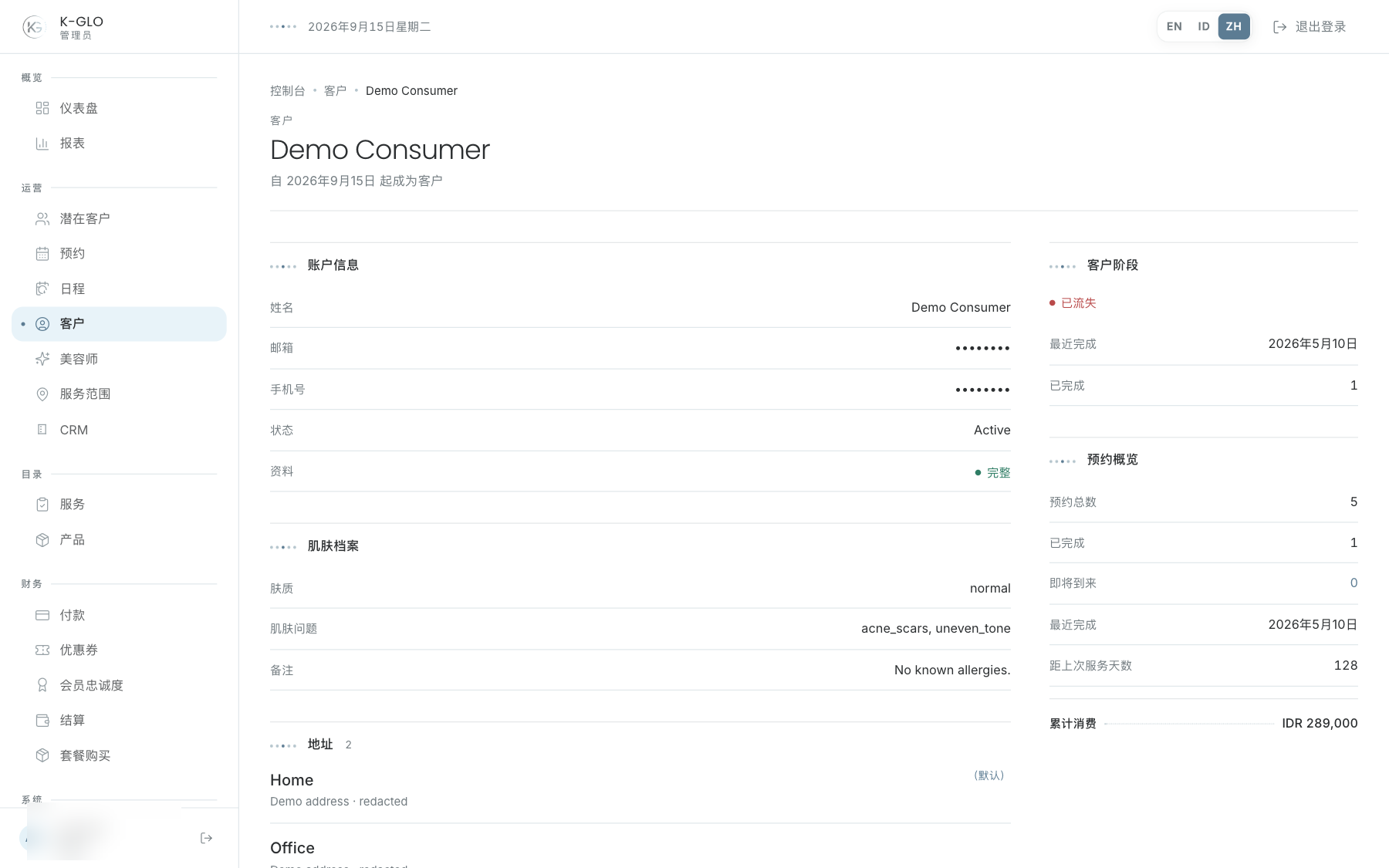
详情可能包含皮肤档案、地址、近期预约、生命周期最近活动时间和终身消费额。联系客户或打开相关预约前,使用这些信息了解完整背景。
皮肤档案、地址和联系方式属于敏感数据。不得在文档截图中使用生产数据。
操作演示视频
视频使用隔离演示数据录制英文管理后台,并放慢播放以便跟随操作。敏感值已遮蔽。未执行外部付款或服务商发送。
录制日期:
admin filters and sorts the client roster, including an empty search result 0:11
已覆盖步骤(英文)
- Search for a client by name, filter by lifecycle, choose the most-recently-completed sort, apply filters, and verify the resulting URL and row.
- Search for a missing client and verify that the no-clients empty state appears.
admin reviews a client detail and exports the client roster 0:09
已覆盖步骤(英文)
- Open the seeded Demo Consumer dossier from the list and inspect account, skin profile, address, recent booking, lifecycle, and booking summary sections.
- After the related-booking visit, search for Demo Consumer, apply the Active lifecycle filter, then download the filtered CSV and verify filename, demo record, and non-empty rows.