创建与实时预览
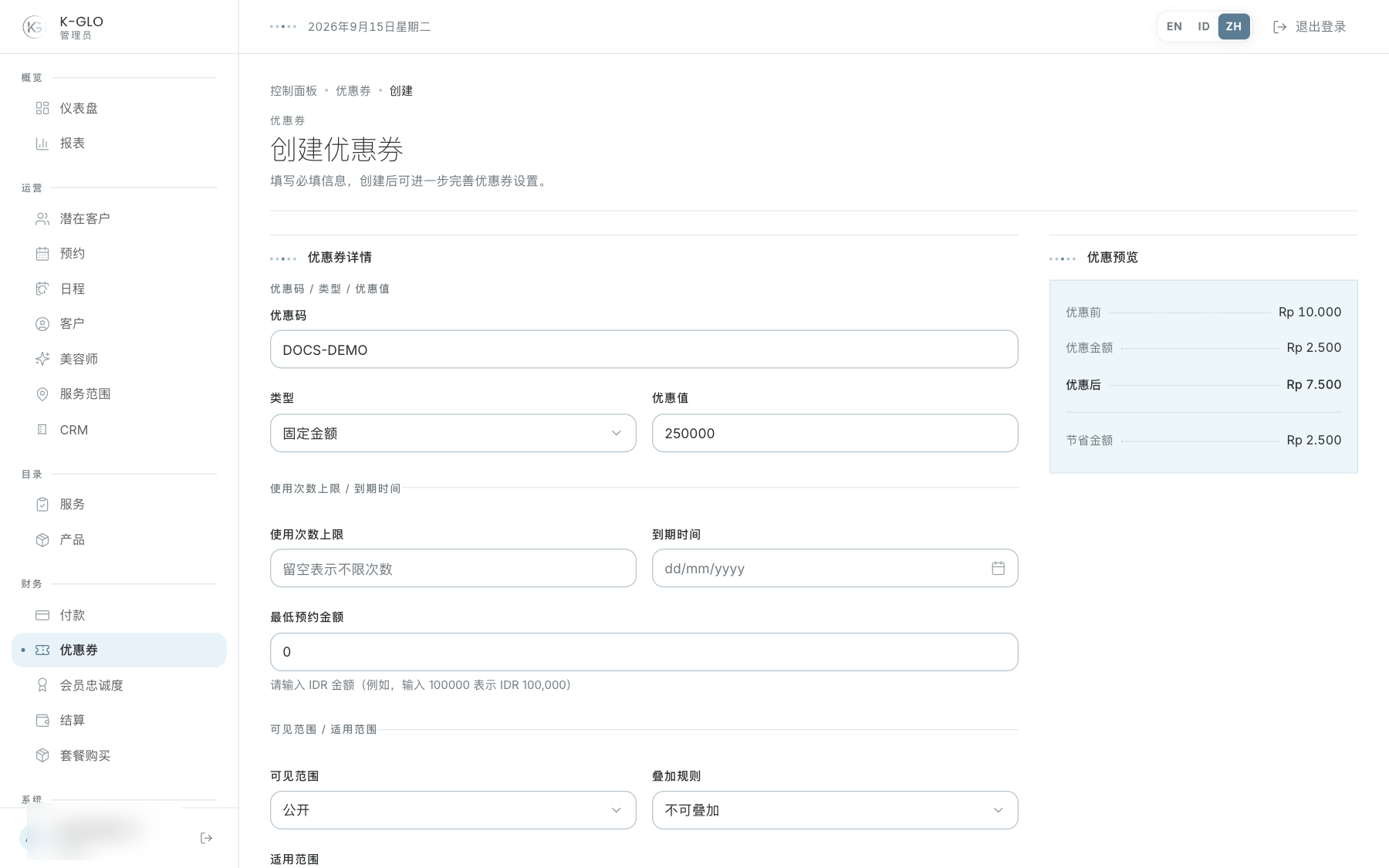
创建表单会展示折扣前金额、折扣和折扣后金额。可选择固定金额或百分比折扣;百分比折扣上限为可选项。适用范围为指定服务/套餐时,预览会使用对应价格;适用于所有预约时则显示示例价格。
创建前请检查优惠码、折扣类型和金额、使用次数上限、到期日、最低预约金额、可见性、服务/套餐范围、启用状态和叠加规则。金额单位以表单标注的分为准。
清单、编辑与分配
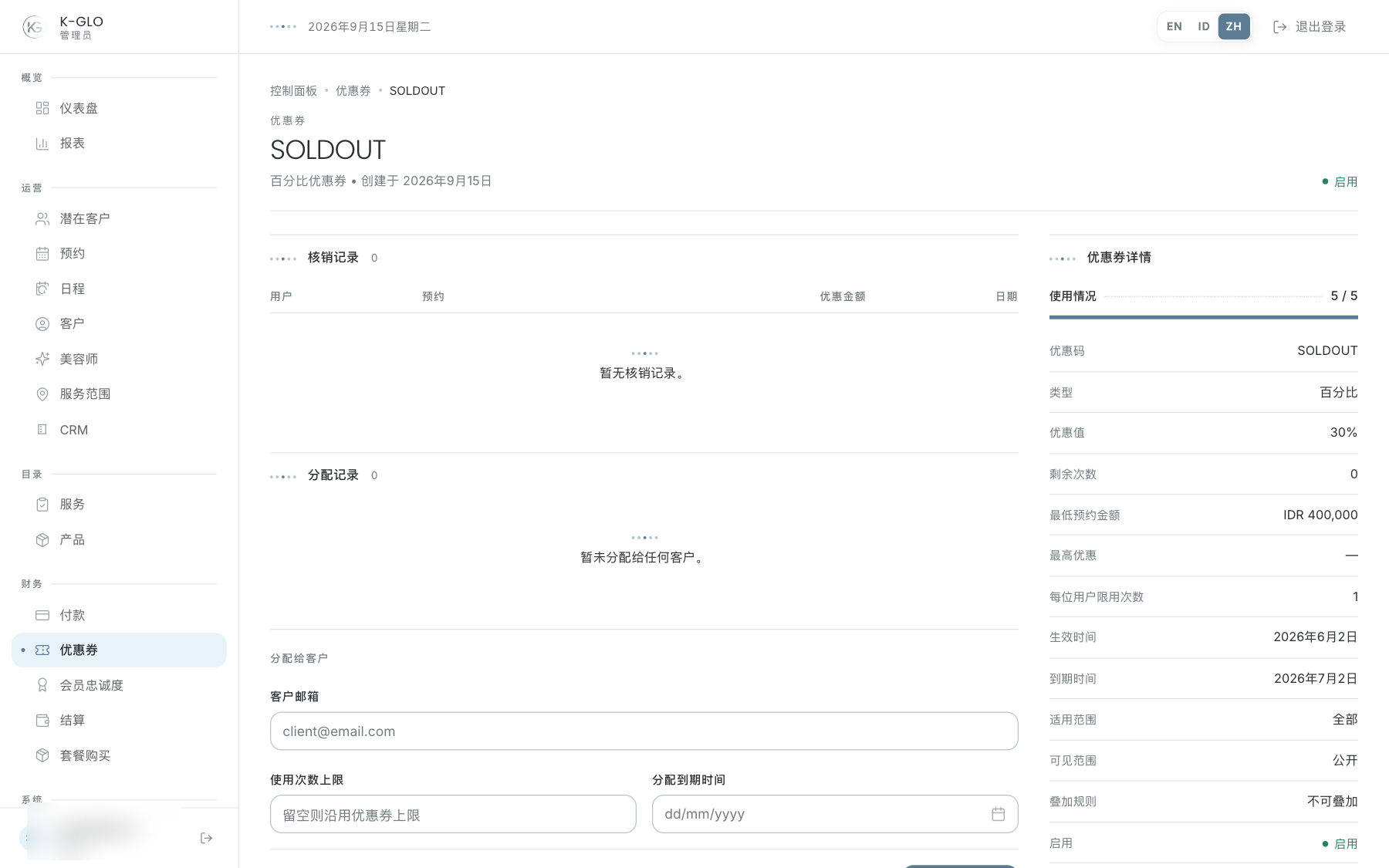
可搜索优惠券或按启用状态筛选。CSV 导出会保留已应用的搜索/状态条件。在详情页检查限制、期限、分配对象和核销台账;需要时编辑规则并保存。
- 先保存优惠券规则,包括优惠券自身的到期日,再进行分配。
- 输入客户邮箱、分配使用次数上限和分配到期日。
- 保存后在详情中核对接收人和分配条件。
- 实际使用记录生成后再检查核销台账;分配不等于核销。
操作演示视频
视频使用隔离演示数据录制英文管理后台,并放慢播放以便跟随操作。敏感值已遮蔽。未执行外部付款或服务商发送。
录制日期:
admin creates a voucher and assigns it to a consumer account 0:13
已覆盖步骤(英文)
- Inspect fixed-amount live preview, switch to percentage, set a cap, and inspect the percentage/cap preview.
- Create a fixed-amount voucher with a usage limit.
- Set a voucher expiry; assign it to the demo consumer with a separate usage limit and expiry date.
- Edit the voucher code and verify code and expiry persisted.
- Search the updated voucher, filter it by active status, and click the CSV export retaining both filters.
admin exports each operational finance list with its CSV schema 0:06
已覆盖步骤(英文)
- Open the voucher list and click its visible CSV export control.
- Verify the export response schema and that it contains data.
测试边界(英文)
- A populated redemption ledger is not manufactured; the journey verifies the current ledger view while assignment and voucher persistence are checked.