访问要求
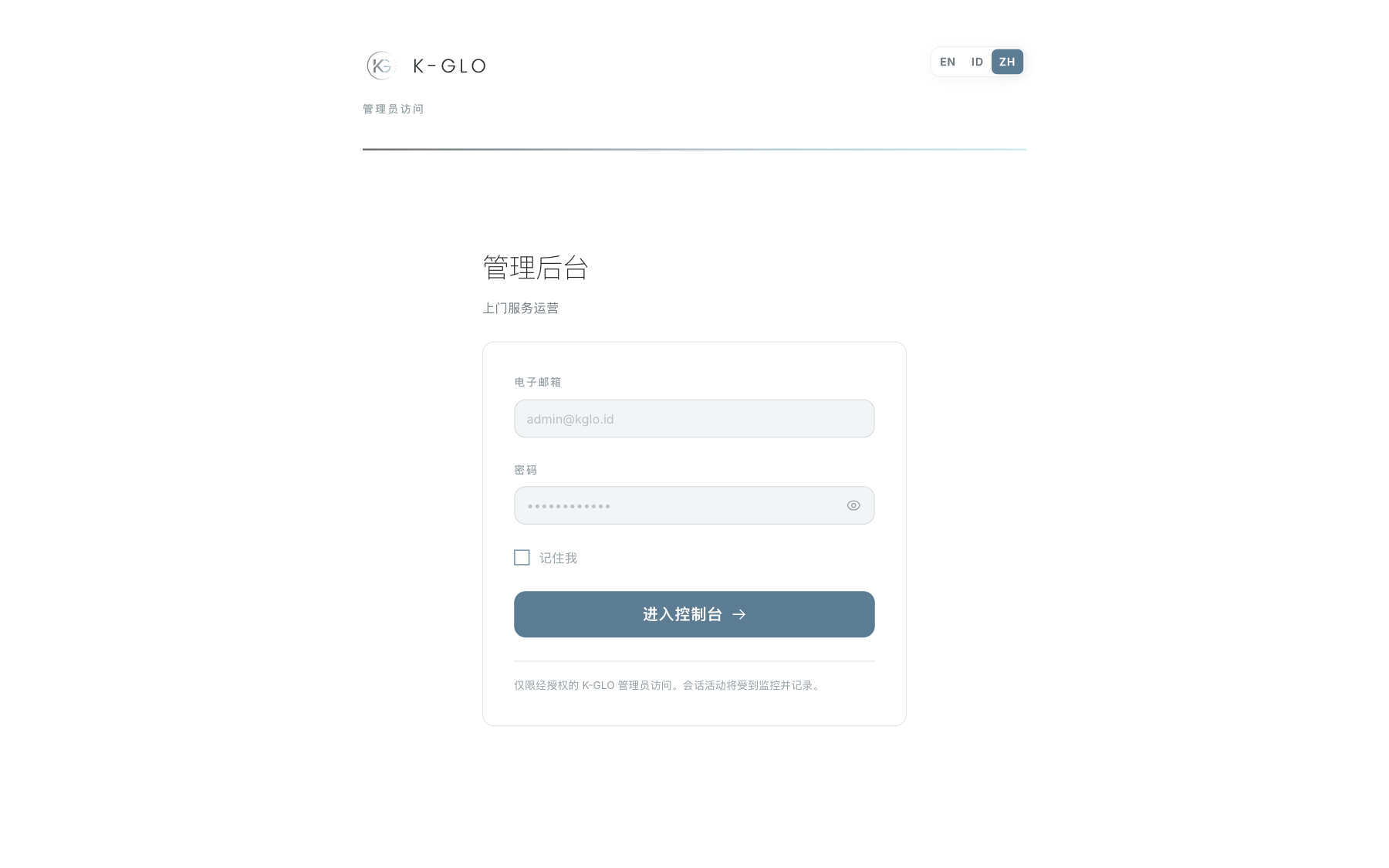
只有已通过身份验证并拥有 admin 或 super_admin 角色的用户才能访问该面板。所有管理后台路由均受双重身份验证保护。请使用管理后台域名,不要在 API 主机上使用 /admin 路径。
在开发环境中,请打开 http://admin.localhost:3333/login。生产环境地址由 ADMIN_URL 环境配置决定。
登录流程
- 输入管理员账号的电子邮箱和密码。
- 仅在私人设备上选择 Remember me。
- 选择登录按钮。
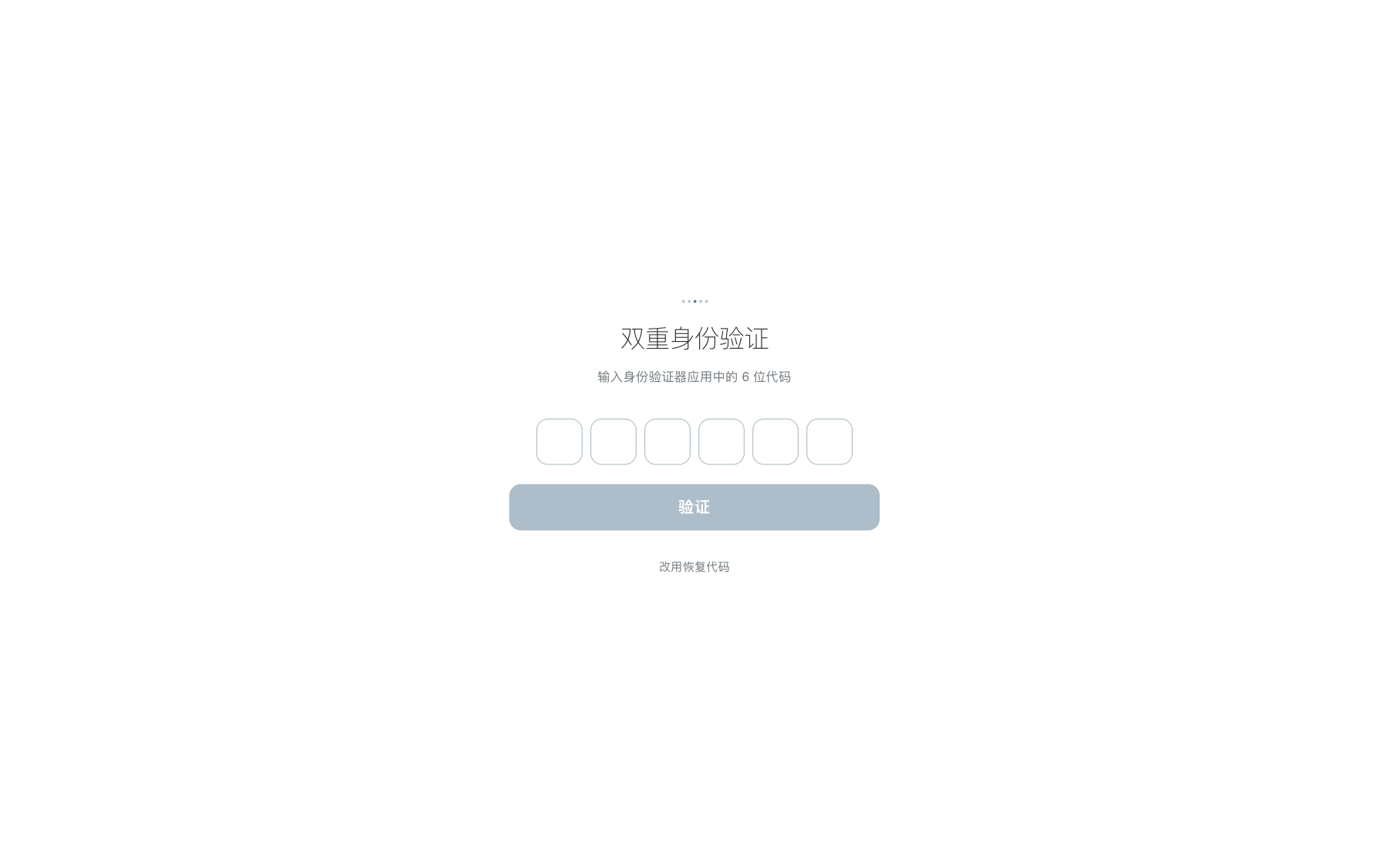
- 系统提示时,输入身份验证器应用中的 TOTP 验证码。
- 如果无法使用身份验证器,请使用一枚尚未使用的恢复码。 Show password 可暂时显示密码;请再次选择以在登录前隐藏密码。
每枚恢复码只能使用一次。不得在截图、支持工单或内部消息中展示 TOTP 或恢复码。
导航与页面模式
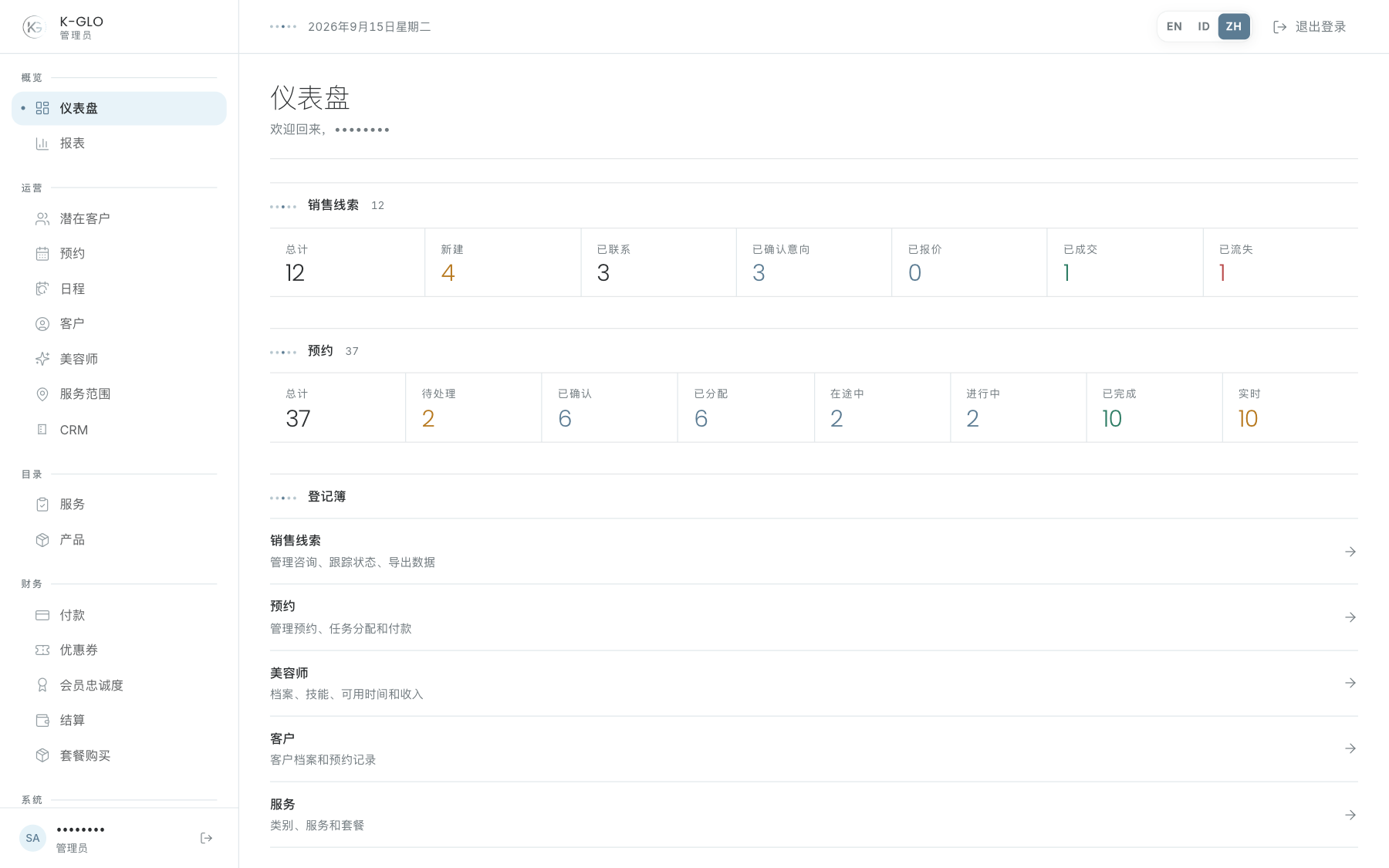
桌面端侧边栏始终可见。在较小屏幕上,面板按钮会打开导航抽屉。管理后台页头包含语言选择器、操作结果消息和退出按钮。
- **数据摘要栏(Figure strip):**汇总数字,也可能作为筛选条件。
- **筛选栏(Filter bar):**搜索、状态、关联对象、日期或排序控件,筛选状态会写入 URL。
- **台账(Ledger):**运营数据表,可单击行或按 Enter 打开。
- **详情面板(Inspector):**左侧展示事实信息,右侧操作栏展示状态、时间线和操作表单。
切换语言
在管理后台页头选择 ID、EN 或 ZH。选择结果会保存到服务器、localStorage 和 cookie。默认语言为印度尼西亚语。会员等级名称仍使用英文。
退出登录
使用页头中的退出按钮。在共享设备上,请确认登录页面已经显示,再离开设备。
操作演示视频
视频使用隔离演示数据录制英文管理后台,并放慢播放以便跟随操作。敏感值已遮蔽。未执行外部付款或服务商发送。
录制日期:
admin signs in and signs out 0:04
已覆盖步骤(英文)
- Open the admin login page, enter the E2E admin email and password, select Remember me, submit, and reach the dashboard.
- Sign out and confirm the login page returns.
admin rejects invalid credentials 0:03
已覆盖步骤(英文)
- Submit deliberately incorrect demo credentials and verify the sign-in error is shown.
consumer credentials do not grant admin access 0:05
已覆盖步骤(英文)
- Attempt admin access with the demo consumer account and verify protected admin pages return to sign-in.
admin login can reveal and hide the password 0:03
已覆盖步骤(英文)
- Enter a harmless placeholder into the password field, reveal it, and hide it again before sign-in.
admin opens the mobile navigation drawer and follows a register link 0:05
已覆盖步骤(英文)
- Resize to a mobile-width viewport, open the admin navigation drawer, select Clients, and confirm the drawer closes on navigation.
admin changes interface locale and persists the preference 0:05
已覆盖步骤(英文)
- Switch the header locale through Indonesian, Chinese, and English; verify each selection is pressed and persisted in the user record, localStorage, and locale cookie.
admin updates an assigned booking status through the permitted transition 0:07
已覆盖步骤(英文)
- Open an assigned booking inspector, verify its current state, change the status through an allowed transition, and verify the persisted status.
temporary admin enrolls, regenerates recovery codes, verifies TOTP, and disables 2FA 0:13
已覆盖步骤(英文)
- Enroll a disposable administrator by copying the manual setup key, entering a generated TOTP and password, and confirm that ten unique recovery codes appear.
- Copy the recovery codes, regenerate them with password confirmation, and verify the previous set is invalidated.
- Sign out, complete login with a generated TOTP, then disable 2FA with password confirmation.
temporary admin recovery code is single-use and authenticator fallback completes 2FA 0:12
已覆盖步骤(英文)
- Enroll a disposable administrator and log in using one recovery code.
- Confirm the recovery code cannot be used again, switch to authenticator verification, complete TOTP login, and disable 2FA.
admin dashboard filters status figures, opens today's live booking, and follows a register 0:11
已覆盖步骤(英文)
- Verify the desktop sidebar is visible, open the current-day Now in the field booking, apply booking status and Live figure filters, and follow a Clients register shortcut.
admin filters and sorts the client roster, including an empty search result 0:11
已覆盖步骤(英文)
- Search, apply a lifecycle filter and sort, confirm the filter URL and matching ledger row, then verify the empty state for a missing client.
测试边界(英文)
- Authenticator enrollment and recovery-code storage in a password manager are external-app tasks; the E2E journey uses generated TOTP and checks the in-page copy state rather than storing secrets outside the admin UI.